

How to manage a customer’s account via OVHcloud API
331 Views
 08.02.2020
  API
API
Objective
In this guide, you will learn how to use the OVHcloud API to manage services and resources of someone else's account.
As an example, let's assume that you want to create a marketplace in which you, as a service provider, can install and configure resources of other OVHcloud customers.
Requirements
- an OVHcloud account
Instructions
Application registration
The first part, as the application developer, is to register your application on OVHcloud.
To do so, go to OVHcloud API.
You will need to log in and set an application name and description.
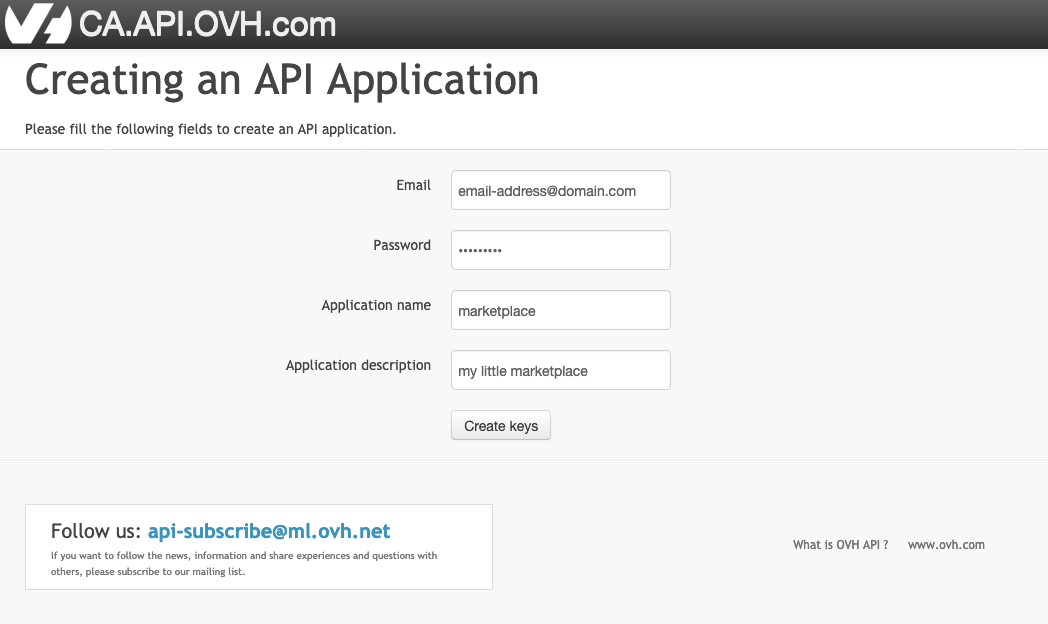
Once logged in, you will get your Application Key and Application Secret, later refered as AK and AS.
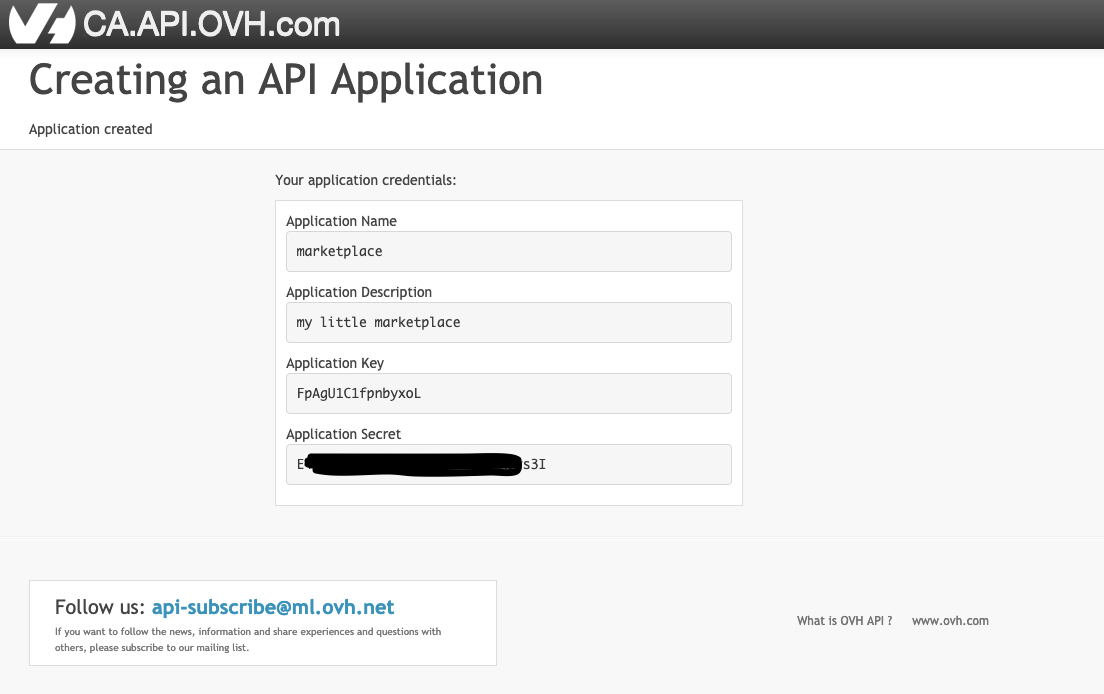
The AK is identifying your application. It can be publicly shared.
The AS is a key used to sign the API requests which will be made later by your application. It must be kept secret.
Summary
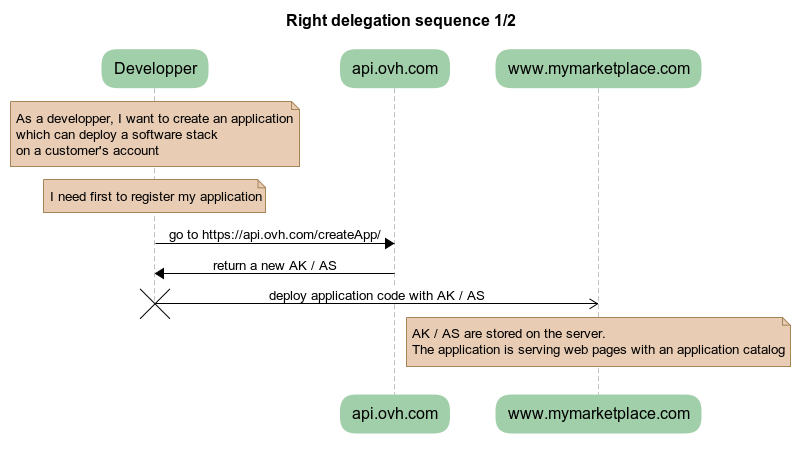
Deploy your application
To illustrate that part, let's assume that you have deployed your application code on a server.
Your application can access the value of AK and AS and displays a list of software stacks or services available for installation by customers.
Rights delegation
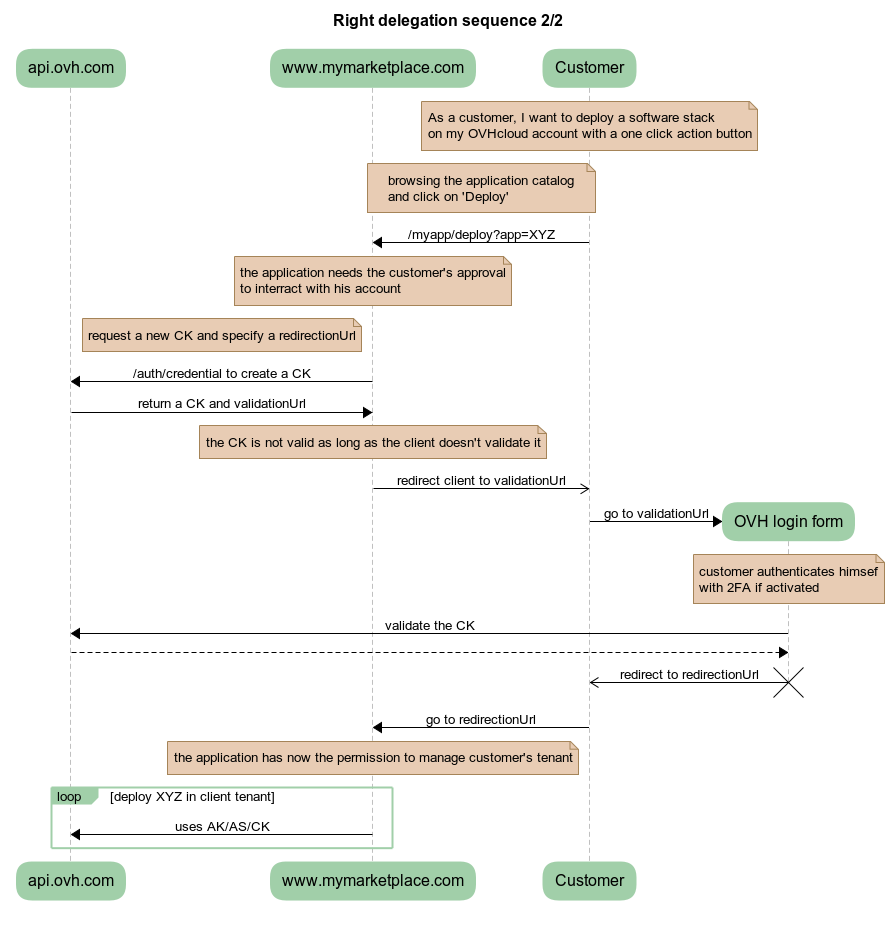
Let's assume that a customer browsing your marketplace selects a service to deploy to their OVHcloud account. So far, you don't have any rights on the customer's API. You have to ask their permission to manage its ressources.
Create a permission request
The first step is for your application to request permissions on the customer's API.
To do so, your application will request credentials by calling https://ca.api.ovh.com/console/#/auth/credential#POST and passing as argument a list of endpoints the application needs access to.
Example with curl with an access request to GET /me.
The result of that call will be a JSON dictionary
As the developer, you have to store the consumerKey, later refered as CK. This key will be used to sign the OVHcloud API requests on behalf of your customer.
The request has been made and you need your customer to accept it by redirecting him to validationUrl
Client login form
After redirecting the client to validationUrl, he will be asked to confirm the rights delegation.
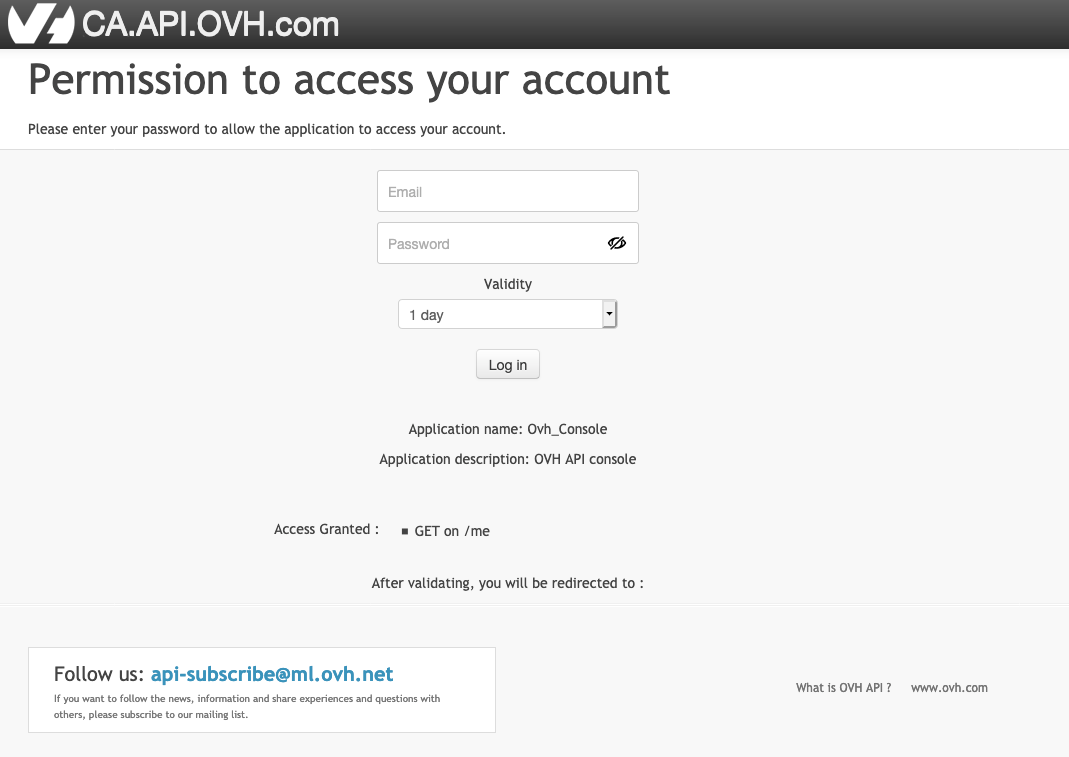
If successful, the client will be redirected to the url previously specified by REDIRECT_URL in the curl command.
Access customer's API
At that point, you should have three tokens:
- the application key
AK - the application secret
AS - the consumer key
CK
From there, depending on the requested permissions, you can start managing your customers resources.
Summary
Happy development !


 Create a OVH sub-account and a user account with OVH API
 320
320