

Creating and managing local users on an OVHcloud account
1053 Views
 16.05.2025
  User management & Federation
Objective
With OVHcloud, you can create additional local users with read or write access to your customer account. This means that you can grant other members of your company access to your OVHcloud services, without having to resort to risky practices like sharing passwords or two-factor authentication details.
User management is different from contact management. A user will have an access to all sections of the OVHcloud Control Panel according to the level of rights granted.
The purpose of contact management is to delegate full management of the administrative, technical and billing aspects of one or more services on your OVHcloud account. For further information on contact management, please refer to this guide.
This guide details the privileges a local user can hold, as well as the method for adding and managing users.
Requirements
- An active OVHcloud account
OVHcloud Control Panel Access
- Direct link: IAM Identities
- Navigation path:
Identity, Security & Operations>Identities
Instructions
Understanding identities
Local users are one of the types of identities that can be set up on your OVHcloud account. Other account types are described in the related documentation.
User management
Add a user
From the IAM Identities page, click on Add user.
A window will pop up, and you will need to complete the required fields. Click Confirm to create the user.
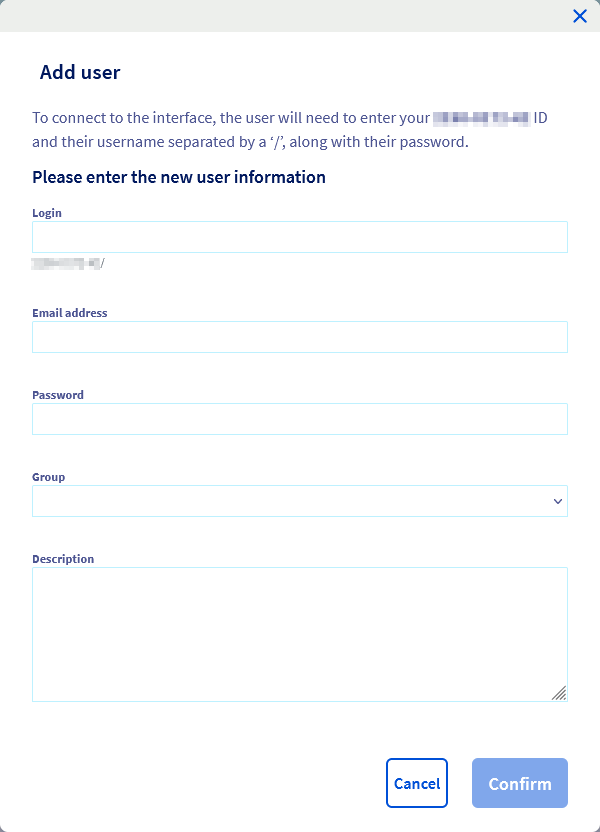
| Field | Details |
|---|---|
| ID | Enter the user’s name or their role, for example. |
| Enter the user’s full email address. | |
| Password | Set the user password. The user can then change this password once their access has been created. We also suggest reading our guide on password management to define this password. |
| Group | Choose a group from those available (see table below). |
| Description | You can add a user description (such as their role within the company). |
Default group details:
| Role | Details |
|---|---|
| UNPRIVILEGED (Read-Only) | Gives read access to the OVHcloud Control Panel and all of its sections. |
| DEFAULT (Restricted Admin) | Gives write access to the OVHcloud Control Panel and all of its sections, except for user management. |
| ADMIN (Administrator) | Gives write access to the OVHcloud Control Panel and all of its sections, including user management. |
The user then gets their own ID made up of your account’s numeric ID (which is listed in the “User management” menu) and their username, with the two values separated by a “/”.
Example: 1234-567-89/johnsmith.
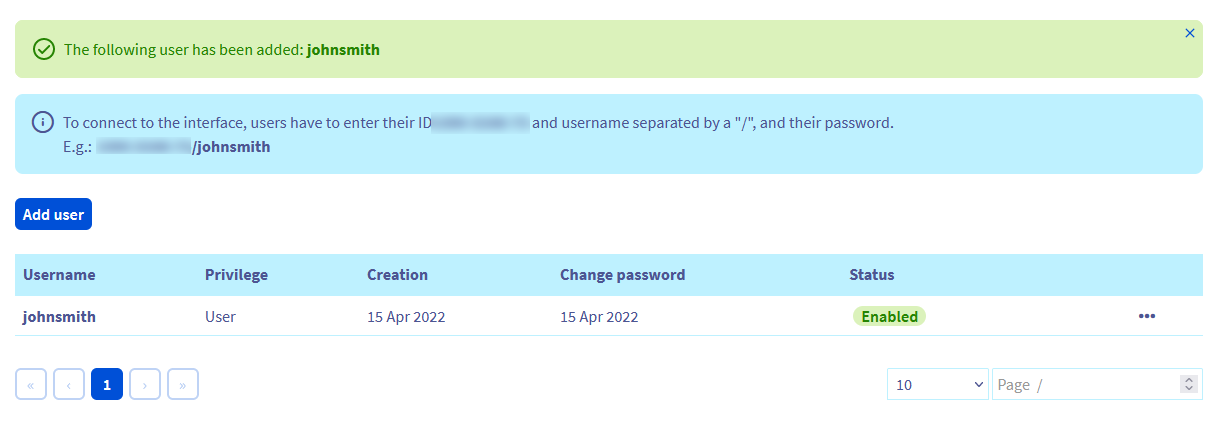
The user you have created can then log in to the OVHcloud Control Panel using this ID.
They can also change their password and secure their own access to your account by enabling two-factor authentication (this is only for their access as a user). To find out how to enable two-factor authentication, you can refer to this guide.
Manage users
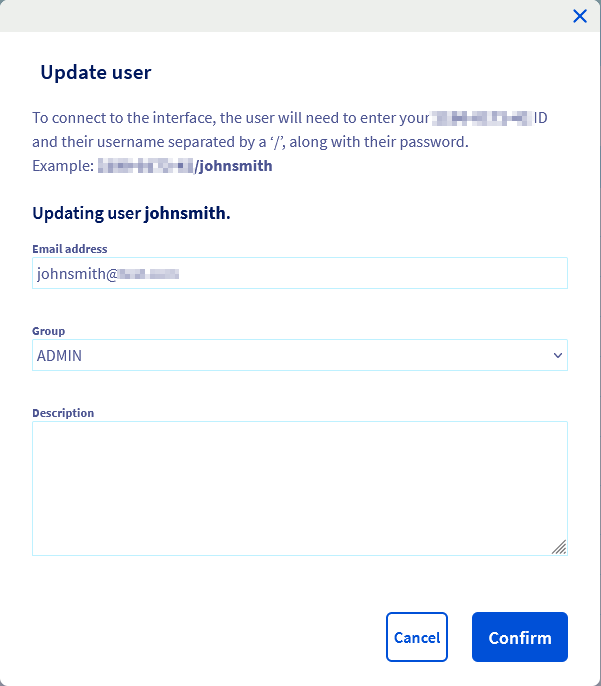
You can disable/enable or remove a user by clicking on the … button to the right of the user’s name.

When you edit a user you can update their email address, group and description.
Group management
Add a group
To add a group, go to the User groups tab, then click the Declare a group button.
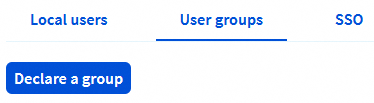
A window will pop up and you will need to complete the required fields. Click Confirm to create the group.
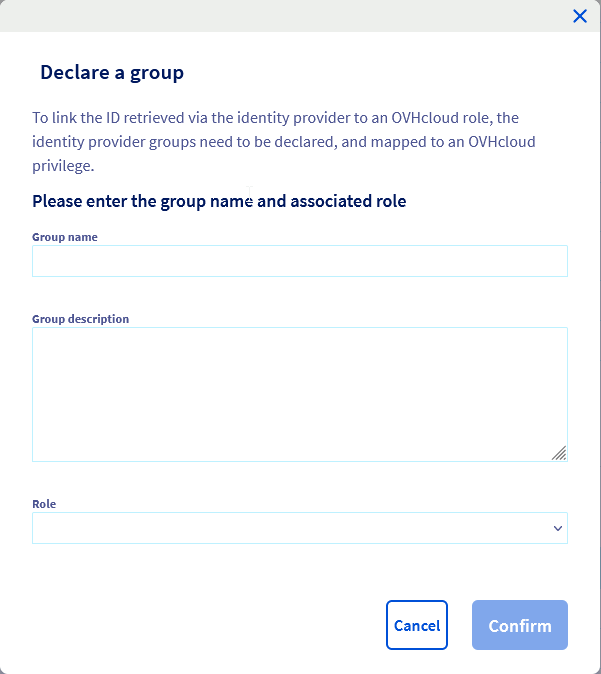
Groups give a default privilege level for the users they contain, according to the role you choose:
| Role | Details |
|---|---|
| None | Gives no access to the OVHcloud Control Panel if no IAM policy is set up. |
| Read-Only | Gives read access to the OVHcloud Control Panel and all of its sections. |
| Restricted Admin | Gives write access to the OVHcloud Control Panel and all of its sections, except for user management. |
| Administrator | Gives write access to the OVHcloud Control Panel and all of its sections, including user management. |
Manage groups
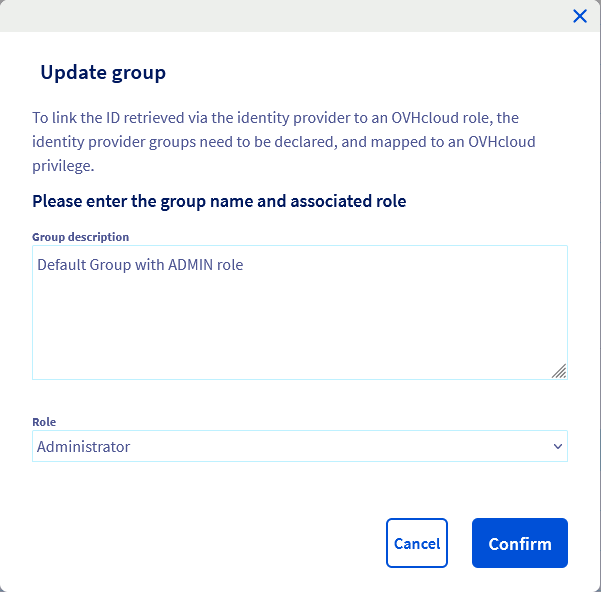
You can update or remove a group by clicking on the … button to the right of the group name.
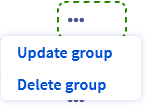
When you edit a group you can update its description and role.
Rights management
On top of the role associated to user groups, you can fine-tune access privileges using OVHcloud IAM. OVHcloud IAM policies management is covered by the dedicated guide.
Go further
Join our community of users.


 Presentation of identities that can interact within an OVHcloud account
 181
181