

Creating an OVHcloud account
21968 Views
 26.02.2026
  Account Information
Objective
To use OVHcloud services, you must first create your account. You can create an account before or during the order process for your first OVHcloud service.
Find out how to create an OVHcloud account.
Requirements
- A valid and accessible email address
Instructions
How do I create my OVHcloud account?
To create an OVHcloud account, go to this page and click Create an account.
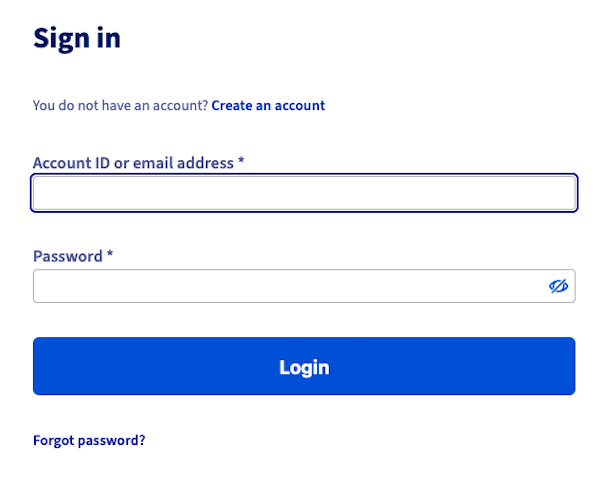
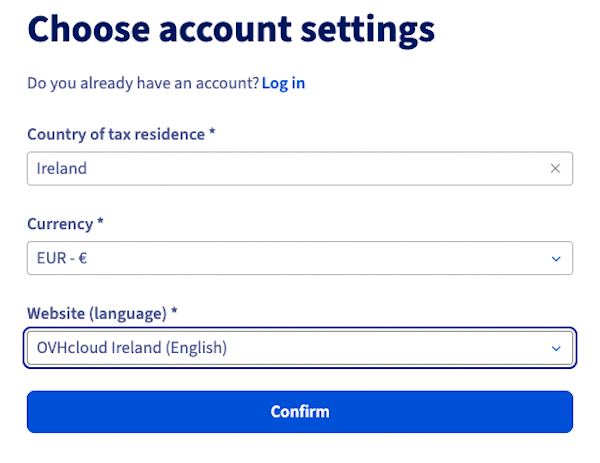
Enter your country of tax residence, your currency, and the language you would like to use to manage your services in the OVHcloud Control Panel. Then click Confirm.
Then enter your email address and create a password for accessing your OVHcloud account.
| Information | Description |
|---|---|
| Email address | Enter a valid email address that you currently have access to. Avoid using an email address linked to a domain name that you will manage from this OVHcloud account. If your domain is blocked, you will no longer receive our notifications. |
| Password | Your password must be unique (created and used only for your OVHcloud account) and sufficiently complex. Please refer to our guide on password management for tips on creating an effective password. |
Once you have completed this first form, a one-time code will be sent to the email address you have entered. This code will validate your email address. Enter it in the boxes provided.
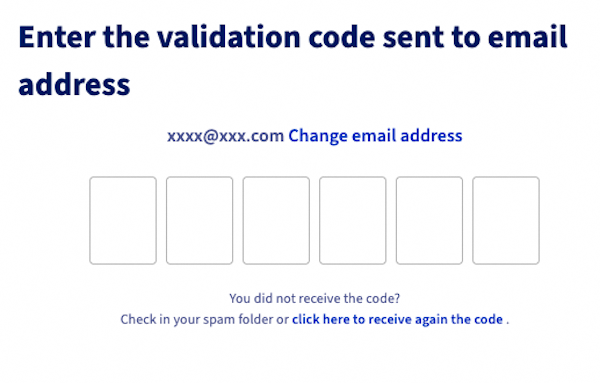
If you did not receive the email containing the code, check the spam folder of your email account.
You can send a new code by clicking on the link at the bottom of this page.
If the email address you have entered is not valid or available, click Change email address.
Once you have entered and validated the code, you have to define the type of account among the choices offered:
- Non-profit: The "Non-Profit" account should only be created by non-profits and other not-for-profit organisations such as foundations, trade unions or religious congregations.
- Public administration: The "Public administration" account should only be created by central government bodies, regional and local authorities, or public sector bodies.
- Company: The "Company" account is intended and should be created by all legal persons (excluding public sector bodies and non-profit entities) and all natural persons (sole traders) purchasing OVHcloud products as part of their professional activity.
- Private individual: The "Individual" account should only be created by natural persons purchasing OVHcloud products for their private needs, outside the scope of a professional activity.
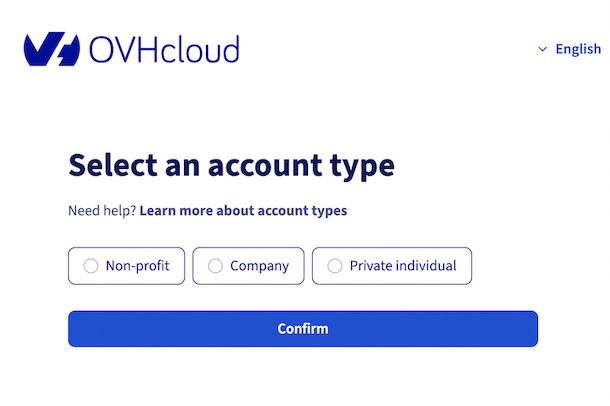
You will then be asked to enter your details. Make sure the information you have entered is correct.
Once you have created your account, you will automatically be logged in to your account’s dashboard.
What is my account ID?
Each OVHcloud customer account is associated with a unique ID, sometimes also called a NIC handle.
For most accounts outside Europe, it is replaced by the primary email address entered into the OVHcloud account.
Go further
Now that you have created your OVHcloud account, we recommend following our recommendations on account security and managing your personal data.
See also our guides for:
Logging in to the OVHcloud Control Panel
Changing the password for your OVHcloud account
Securing your OVHcloud account with two-factor authentication
Join our community of users.


 Managing contacts for your services
 13526
13526