

How to install an AI agent on an OVHcloud VPS
160 Ansichten
 18.08.2025
  Cloud / Virtual Private Server
Objective
This guide explains how to deploy an on-premises AI agent on an OVHcloud VPS, without depending on the cloud of external providers. You will use a ready-to-use Docker container containing an open-source AI agent, such as Open Interpreter, GPT4All or Auto-GPT.
Find out how to deploy an AI agent such as Open Interpreter or GPT4All on an OVHcloud VPS.
Requirements
- An OVHcloud VPS (Debian 11 or higher is recommended)
- Administrative (sudo) SSH access to your server
- Python ≥ 3.10 installed on the VPS
Instructions
Update your VPS and install Python
Open a terminal and connect to your VPS with the following command (replacing VPS_IP with the real IP):
Update the packages:
Verify that Python ≥ 3.10 is installed:
If necessary, install Python 3.10+ and pip:
Create a virtual environment and install Open Interpreter
Recent environments limit the use of pip globally. It is recommended that you create and use a virtual environment:
Install Open Interpreter:
Configure an AI template for the agent (local or remote)
Option 1 - Use OpenAI (GPT-4o, GPT-3.5, etc.)
You must have an OpenAI API key. Add it when you launch it for the first time, or set it beforehand:
Then follow the instructions.
Option 2 - Use a local model (via Ollama)
If you do not want to use OpenAI, run a local model using Ollama:
This will give you several options (Ollama, LM Studio, etc.). We recommend using Ollama, as it is easy to install and compatible with several modern models such as llama3 or mistral.
Install Ollama:
Load the model:
Then try again:
Common errors
Model requires more system memory (6 GiB) than is available (1 GiB)
This error indicates that your VPS does not have enough RAM. Here are your options:
- Choose a new VPS with at least 8 GB RAM.
- Use the OpenAI API (see
Option 1above). - Use a lighter model, like mistral.
Test your AI Agent
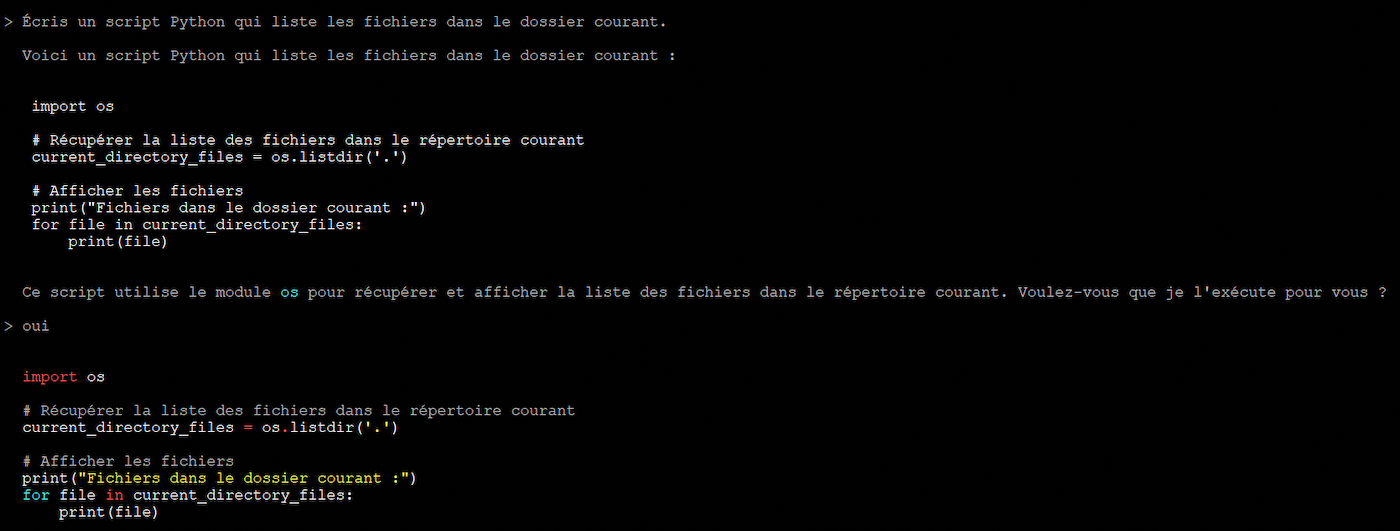
Test the following use cases:
Sample response:
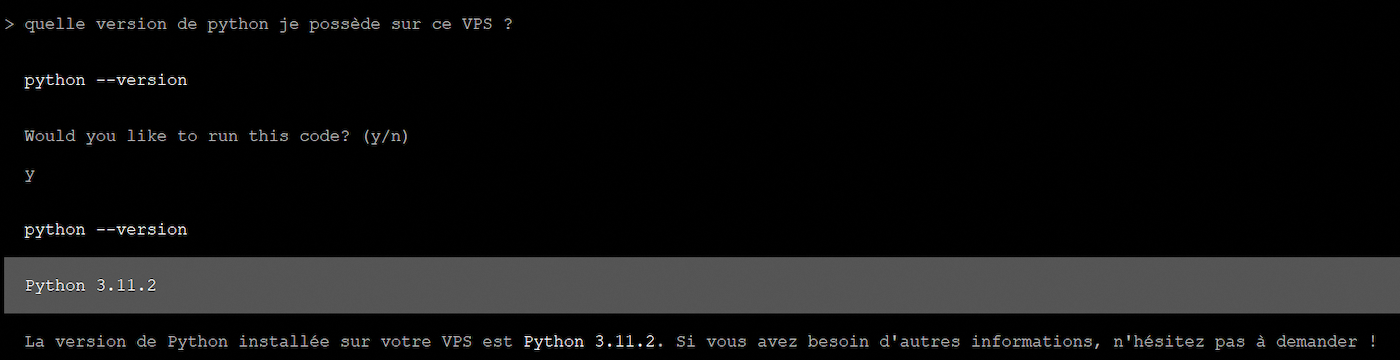
The agent interprets your request, generates code, and executes it locally.
Sample response:
Conclusion
With this guide, you have installed an AI agent on your OVHcloud VPS, capable of executing commands from simple natural language instructions. Whether you have opted for a remote model like GPT-4 via OpenAI or a local model like Mistral via Ollama, you now have an intelligent assistant directly in your terminal, without dependency on a web interface or a third-party service.
Go further
For specialized services (SEO, development, etc.), contact OVHcloud partners
Join our community of users.


 Einen Minecraft-Server auf einem VPS oder Dedicated Server einrichten
 3640
3640