

How to find the name of your web hosting offer
12 Ansichten
 18.02.2026
  Web / Webhosting
Objective
You have forgotten the name of your web hosting offer? You want to check its details or compare it to another offer?
During the use of your services, you may need the name of your web hosting offer.
Find out how to identify the type of web hosting offer you have from your OVHcloud Control Panel.
Requirements
- Have a web hosting offer.
OVHcloud Control Panel Access
- Direct link: Hosting plans
- Navigation path:
Web Cloud>Hosting plans> Select your web hosting plan
Instructions
Click on the tabs below to view each of the 2 steps.
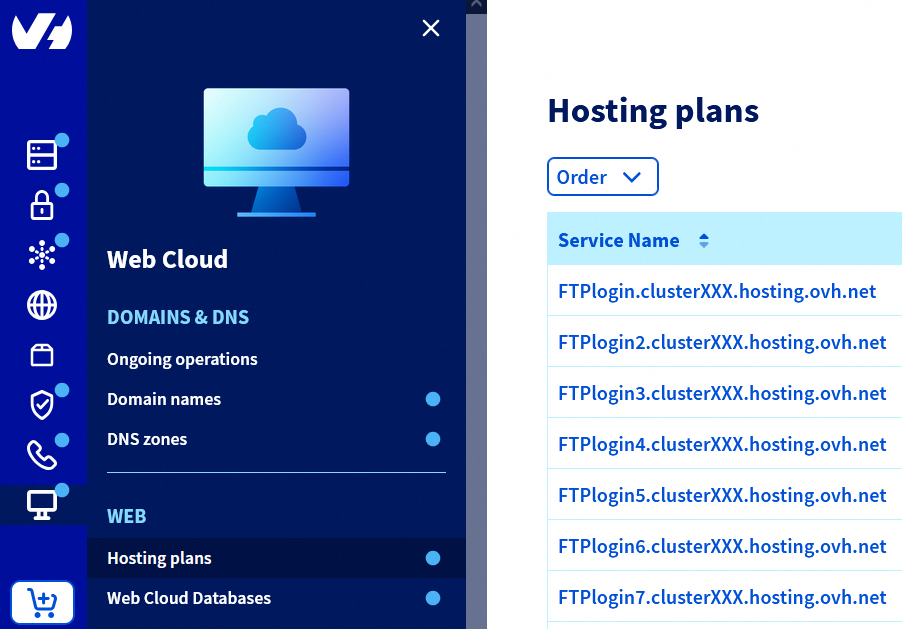
Go to the Hosting plans page, then select the web hosting plan concerned.
In the Plan section, you will find the mention Service plan.
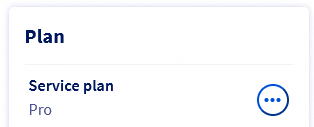
Under this mention, you will find the name of your web hosting offer (e.g., Personal, Pro, Performance, etc.).
Go further
Web Hosting - How to change your solution
For specialised services (SEO, development, etc.), contact OVHcloud partners.
If you would like assistance using and configuring your OVHcloud solutions, please refer to our support offers.
Join our community of users.


 Webhosting - Schnellstart-Anleitung
 2317
2317