

Changing user rights
243 Ansichten
 18.11.2020
  Managed Bare Metal
Objective
The purpose of this guide is to explain the user rights management regarding the OVHcloud Managed Bare Metal solution.
Learn how to manage user rights on your infrastructure.
Requirements
- a Managed Bare Metal infrastructure
- access to the OVHcloud Control Panel
Instructions
In your OVHcloud Control Panel, open the "Bare Metal Cloud" section, then select your service under Managed Bare Metal in the left-hand navigation bar.
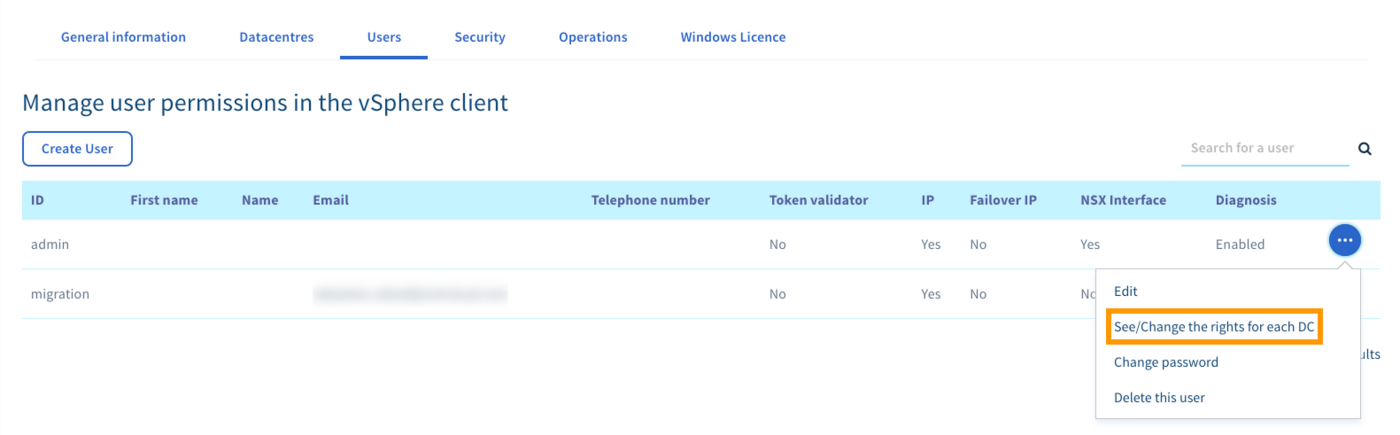
From the main page of the service, click on the Users tab. Click on ... in the row of the user concerned to open the context menu.
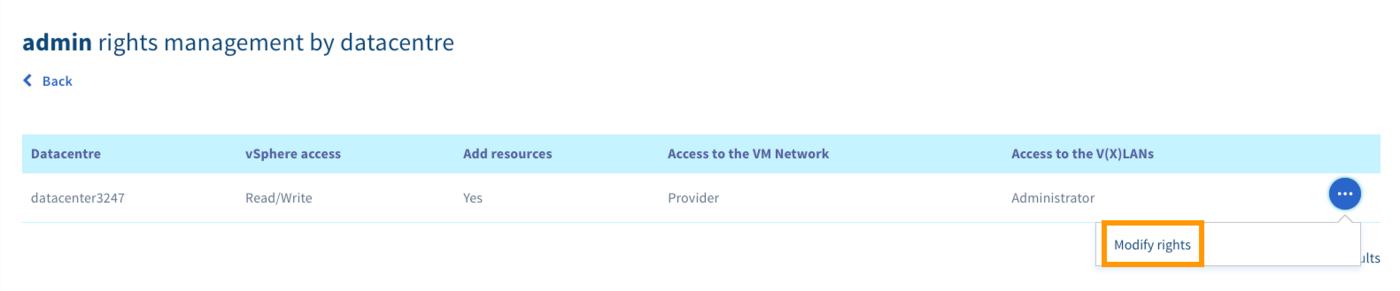
From this menu, you can change the rights of your vSphere users per data centre.
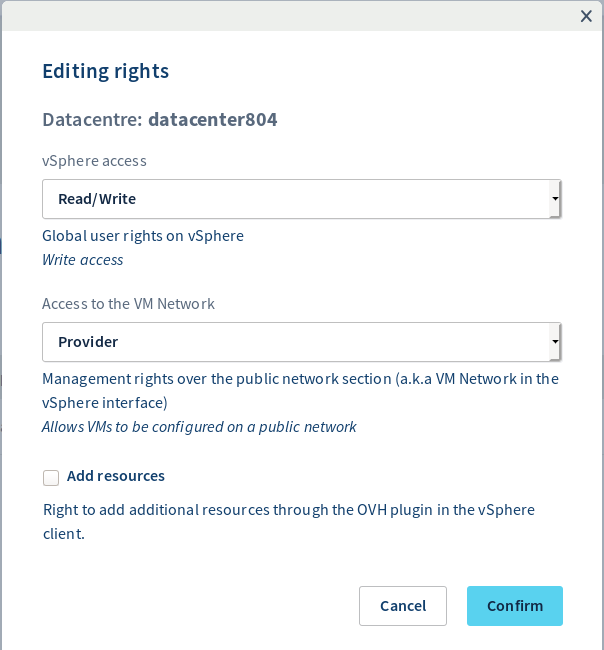
| Access | Possible right | Description |
|---|---|---|
| vSphere access | None / Read-only / Read & Write | Global user rights on vSphere |
| Access to the VM Network | None / Read-only / Provider | Management rights over the public network section (a.k.a VM Network in the vSphere interface) |
| Add resources | Yes / No | Right to add additional resources through the OVHcloud plugin in the vSphere client (Host, Datastore, Veeam Backup) |
Go further
Join our community of users on https://community.ovh.com/en/.
-
Secure Shell (SSH) : un protocole de réseau sécurisé utilisé pour établir des connexions entre un client et un serveur. Il permet d'exécuter des commandes à distance de manière sécurisée. ↩


 Managed Bare Metal kündigen
 274
274