

How to analyse IAM policy results
176 Views
 17.11.2023
  IAM
IAM
Objective
The purpose of this guide is to present the different methods available for identifying missing actions in IAM policies.
Requirements
- You have an OVHcloud customer account.
- You know how to configure access policies via the OVHcloud Control Panel or access policies via API.
- You know how send IAM policy logs to Logs Data Platform.
Instructions
In HTTP responses
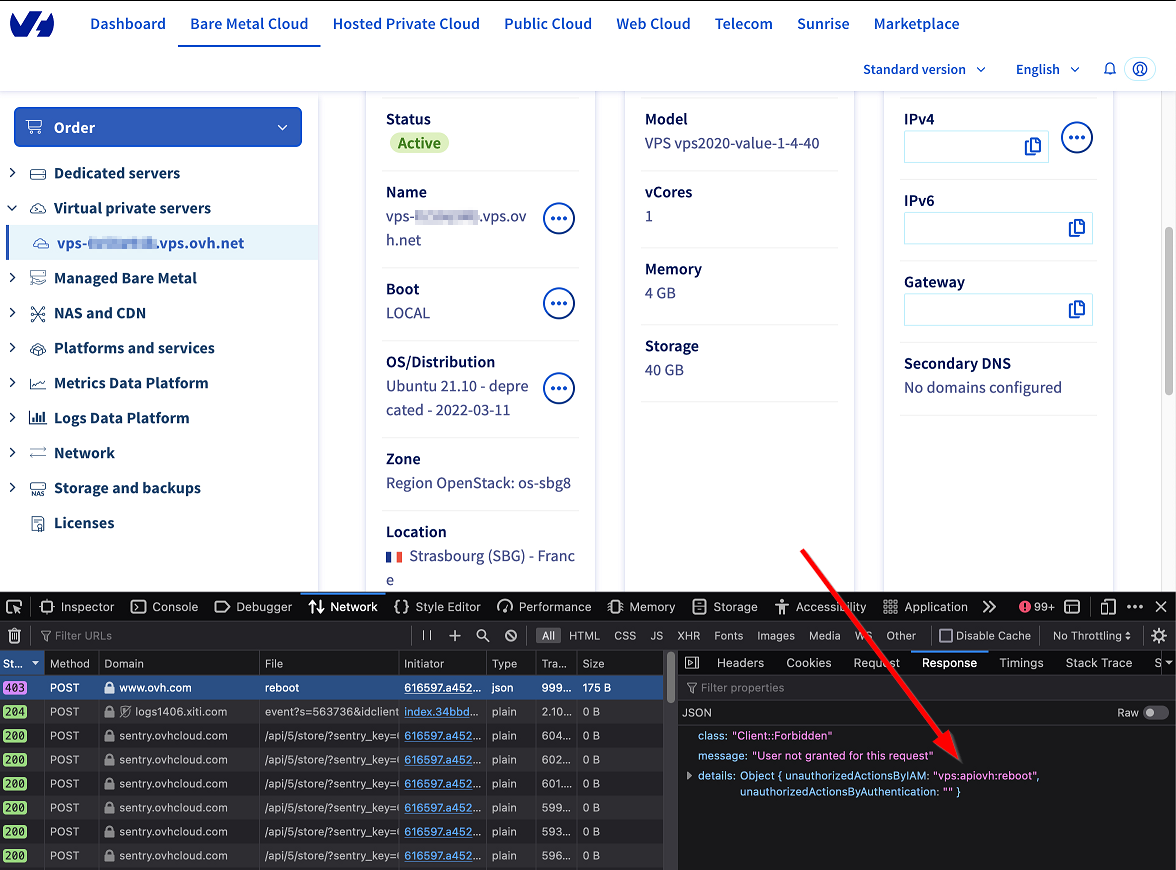
During API calls, you can get the name of the missing action in the HTTP request response: via the unauthorizedActionsByIAM field.
In the following example, the missing action is "vps:apiovh:reboot"
From the OVHcloud Control Panel, based entirely on our API, it is also possible to access this information through the web browser development tools. This is done by analysing the errors of type 403.
To do this, go to the Network tab, and select the query that returns a status 403, then go to the Response tab.
In Logs Data Platform (LDP)
If transmission of OVHcloud account logs to LDP is enabled, you can find the information in the access policy logs.
In the Graylog interface, search for the login of the user concerned and logs containing unauthorized_actions_array with the identities_array:*My_user* AND unauthorized_actions_array:* request.
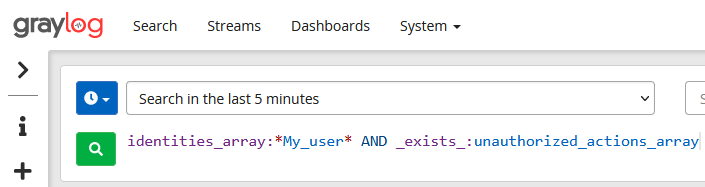
The logs filtered in this way show the actions refused by the OVHcloud IAM for the user.
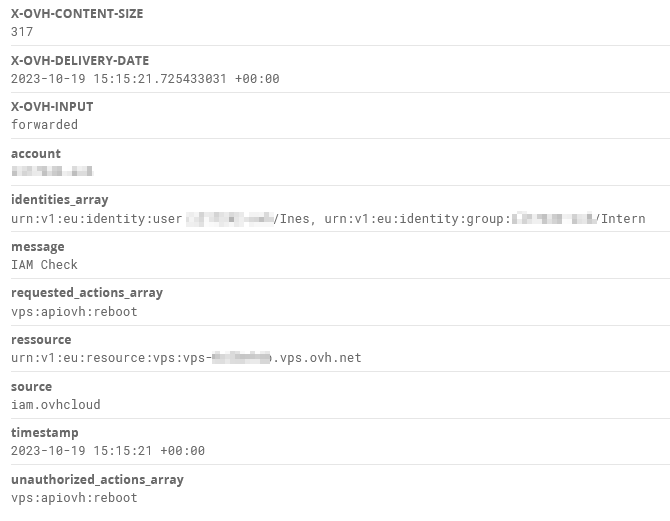
Here for example, the user Ines tried to perform the action vps:apiovh:reboot without success.
You can also filter the search on authorized_actions_array to list the actions authorised by the OVHcloud IAM.
Go further
Join our community of users on https://community.ovh.com/en/.


 How to use IAM policies using the OVHcloud Control Panel
 2899
2899