

How to store public authentication keys in the OVHcloud Control Panel
362 Ansichten
 04.12.2024
  Cloud / Dedicated Server (Bare Metal)
Objective
Key pairs are used to authenticate SSH connections between hosts, for example a desktop client and a remote server. When reinstalling a dedicated server or a VPS from the OVHcloud Control Panel, you have the option to add a public key to the operating system. Storing public keys in your Control Panel makes this process more convenient.
This guide explains how to store your public authentication keys in the OVHcloud Control Panel.
Requirements
- A dedicated server or a VPS in your OVHcloud account
For information about using authentication keys with Public Cloud services, refer to our dedicated guide:
How to create SSH keys with OpenSSH for Public Cloud instances
OVHcloud Control Panel Access
- Direct link: My services
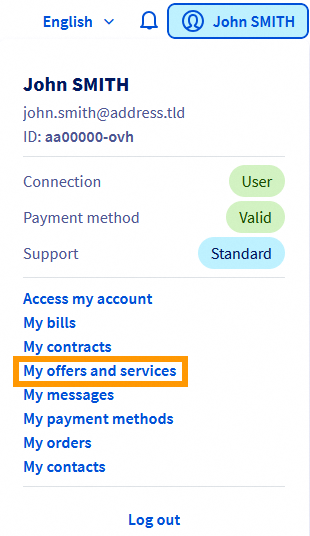
- Navigation path: Click your name in the top right >
Products and services
Instructions
If you have not created a key pair yet, consult our guides first:
- How to create and use keys for SSH authentication
- How to create and use keys for SSH authentication with PuTTY
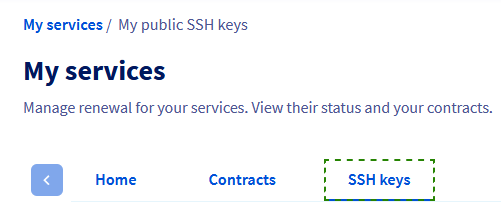
In the Control Panel section My services, click SSH keys.
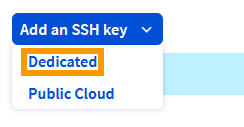
Click the button Add an SSH key and select Dedicated from the menu.
In the popup window, enter a label for the key in the first field.
Copy the entire public key string and paste it into the second field.
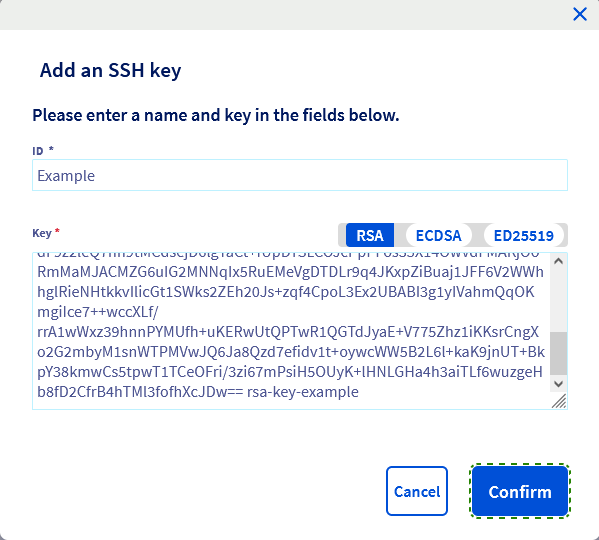
Click the button Confirm.
The key will now be available when you reinstall a dedicated server or a VPS in the OVHcloud Control Panel.
Consult our "Getting started" guides for further details on this topic:
Go further
For specialized services (SEO, development, etc.), contact OVHcloud partners.
If you would like assistance using and configuring your OVHcloud solutions, please refer to our support offers.
Join our community of users.
-
Secure Shell (SSH) : un protocole de réseau sécurisé utilisé pour établir des connexions entre un client et un serveur. Il permet d'exécuter des commandes à distance de manière sécurisée. ↩


 Authentifizierungsschlüssel für SSH-Verbindungen zu OVHcloud Servern erstellen und verwenden
 11194
11194